
EveryGen AI Video Generator & Creative Studio
View the free queue and available generation allowance.

Tesla Roadster Transform
Reshape your car into a Roadster-style sports car and launch from a curved ramp.

Hotel Lobby AI
Two reference photos become a stylized musical duo. Explore the sample and template controls.

Bullet Time Video
Give a portrait a cinematic camera move with a bullet-time visual direction.

Sketch to Video
Use a sketch as the starting point for a moving scene.

Perfect Action and Expression Reproduction

Stable and Reliable, Clear Image Quality

Significantly Enhanced Performance and Controllability

Multiple Image Styles, Super Strong Image Quality
EveryGen AI Video Generator: Choose Your Model
The EveryGen AI video generator supports text-to-video, image-to-video and reference footage. Compare models below and open the workflow that fits your scene.
 Seedance 2.5HotSeedance 2.5 creates cinematic AI video with native audio, multimodal references, and scenes up to 30 seconds.
 Veo 3.1 Fast50% offA high-value AI video model that balances quality and speed. It supports first/last-frame control, so you can keep AI video style and content consistent while generating fast.
- Veo 3.1 QualityThis AI video model targets premium visual quality and stronger control. Camera motion control in AI video is excellent, with strong character consistency and native audio.
 Wan 3 Image To VideoNewTurn reference images into smooth AI video clips. Strong at preserving identity and scene details from your stills.
- Wan 3 Reference To VideoNewUse multiple references to steer style and content. Helpful for brand-consistent AI video and complex visual directions.
 Kling 3.0 Motion ControlNewIts signature AI video strength is motion imitation. It can accurately transfer subject motion from a reference video into your AI video workflow.
- Wan 3 Video EditNewEdit existing footage with AI: swap elements, adjust lighting, or refine shots with simple instructions.
“Up to 30 seconds per generation”
- Maximum video length
- 30 seconds
- Reference images
- Up to 30
- Reference videos
- Up to 10
- Reference audio clips
- Up to 10
Published Seedance 2.5 model limits. Available inputs depend on the selected creation mode.
EveryGen AI Image Generation and Editing
Create characters, product visuals and scene references in EveryGen AI. Bring saved images into the EveryGen AI video studio when you are ready to animate them.
 Nano Banana 260% offAffordable, fast, and reliable for daily AI image creation.
 GPT Image 2.5NewGPT Image 2.5 for image generation and editing, with strong prompt adherence and support for up to 16 reference images.
 Wan 2.7 Image ProHotA design-grade AI image productivity tool. It produces high-quality AI image output and strong multilingual text rendering.
 Seedream 5.0An affordable AI image model with strong multi-image consistency. AI image quality is clear enough for posters, slides, product visuals, and everyday retouching.
EveryGen AI Video Generator Inspiration


EveryGen AI Video Studio: Models for Every Scene
The EveryGen AI video studio connects leading video and image models in one workspace. Compare the examples, choose a model for each task, then reuse your visual assets, voices and soundtrack across the project.

A fast, high-value AI video model for controlled image-to-video generation when you need polished motion quickly.

Premium visual quality, stronger camera language, and better consistency for cinematic AI video output.

Transfer motion from a reference clip into a new AI video scene while keeping the final result expressive and controllable.


Alibaba's all-in-one video model for text, first-frame, reference, and video workflows up to 30 seconds.

Upload a character image and a motion reference to bring the reference performance to a new scene.

Use reference images, videos, and audio to guide style, subjects, and motion in one generation workspace.

Refine existing footage with Wan 3.0 reference-video editing and motion-aware revisions.

Affordable, fast, and reliable for daily AI image editing and creative iterations.

A design-grade AI image productivity model with high-quality output and strong multilingual text rendering.

OpenAI's GPT Image 2 brings strong prompt adherence and polished visuals to text-to-image workflows.

A clear, affordable AI image model for posters, product visuals, slide assets, and everyday retouching.

Six Ways to Start Your Next Video
Make a clip, create a product image or add a voiceover to footage you already have. For a complete video, review a scene plan with the Agent, then generate and arrange the media.
Plan the Scenes First
Describe your audience, topic and length. Review the scene plan before confirming generation.
Create a Video Clip
Write a scene description or upload a first frame, then choose a model and generate a clip.
Prepare Characters and Product Images
Create the characters, products and settings you need, then reuse selected images as video references.
Add Narration and Sound Effects
Voice a narrator or character, then add ambience and effects that match the action.
Make Music or a Song
Describe a mood, style and tempo, or bring your own lyrics to make a song.
Start from a Reference Short
Use a reference video to plan a new version around your own theme and media.
EveryGen AI video studio
From Idea to Final Cut with the EveryGen AI Video Agent
Guide EveryGen through conversation: develop the plan, review creative choices and approve media costs. The EveryGen AI video studio keeps your scenes, references and generated assets together so you can continue the project later.
Describe Your Project
Describe the purpose, audience and style. Add images, video, audio or documents as references.
Shape the Plan
Develop scenes, timing and characters. Adjust the plan or create just one scene first.
Create the Media
Use the EveryGen AI video generator for clips, then create the images, dialogue, narration, music and scene effects you need.
Review, Edit and Download
Revise the plan or edit saved media through conversation. Review the assembled result, then download your video.
EveryGen AI Audio, Music and Sound Effects
Give each scene its voice, music and sound effects, then align them with your clips. Select a track below to see what each layer adds.
Select a track to see what it adds to your video.
Voiceovers and Dialogue
Create spoken lines and reuse a character voice across scenes.
Audio Arrangement
Place existing audio alongside your clips and refine its timing.
Explore EveryGen AI Video Generator Templates
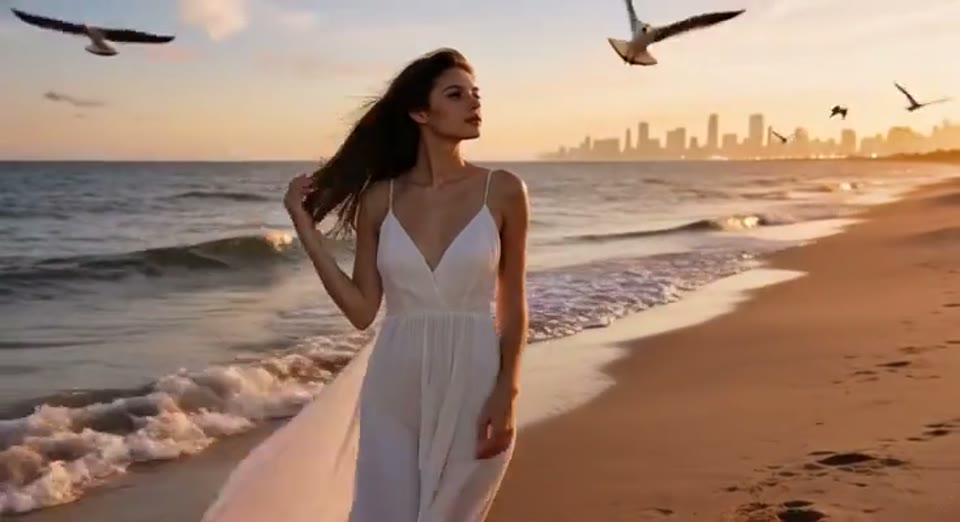
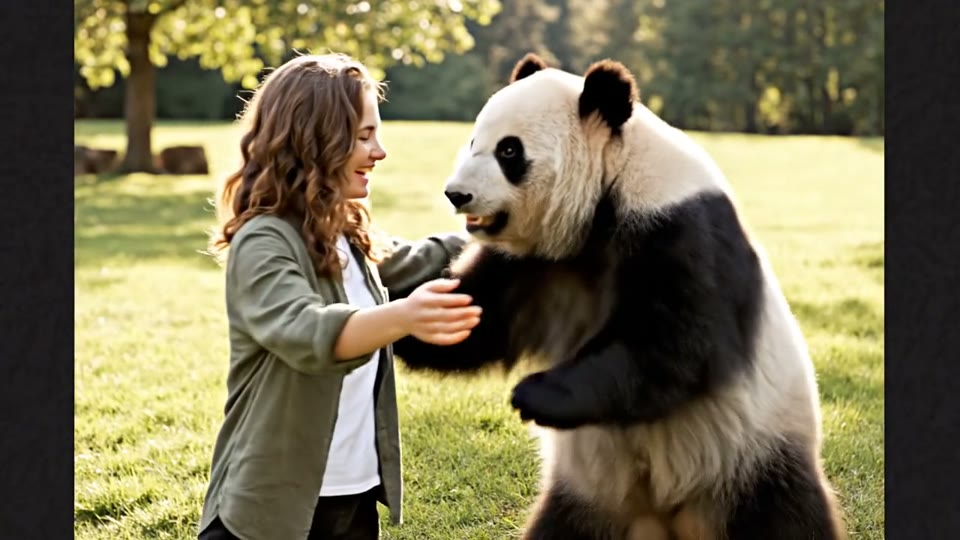
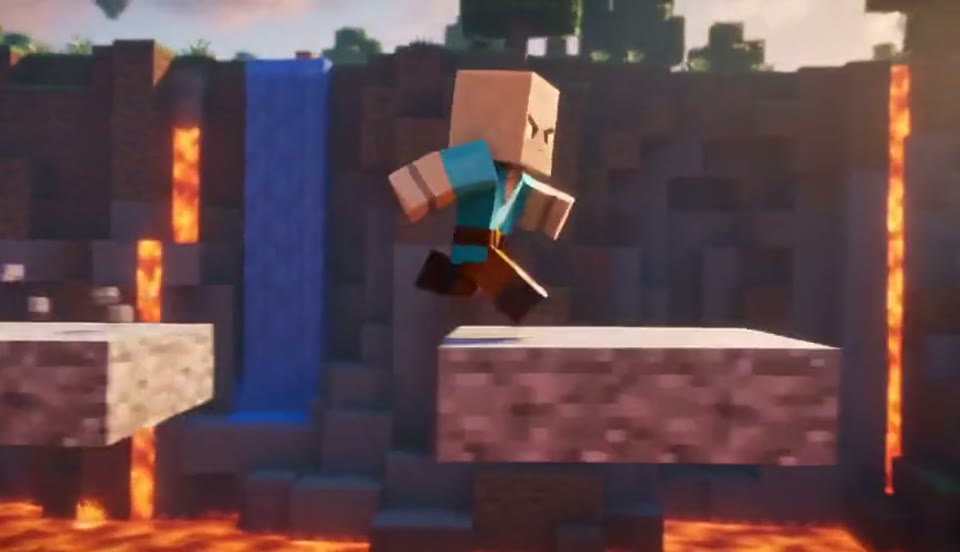
Choose a visual direction for the EveryGen AI video generator. Preview a sample from the EveryGen template catalogue, add your own input and create your version.
Start Your Next Project in the EveryGen AI Video Studio
Turn an idea or reference into visuals, sound and a finished video with EveryGen. Prefer working in your AI assistant? Connect the EveryGen AI video generator MCP to create media and manage projects from there.
EveryGen AI Video Generator MCP Create from Claude, ChatGPT or your coding assistant.
EveryGen AI FAQ: Searched for Evergen AI or Ever Gen?
Answers about the EveryGen AI video generator, the EveryGen AI video studio, credits and connected tools.
Which model should I use in the EveryGen AI video generator?
Choose a model by the scene you want to create. In the EveryGen AI video generator, Seedance suits controlled motion, Veo supports polished image-to-video, and Kling offers motion imitation. For still assets, choose image models such as Wan 2.7 Image Pro or GPT Image 2.
What can I create in the EveryGen AI video studio?
The EveryGen AI video studio takes you from a brief and references to a scene plan, visual and audio assets, an assembled video and further edits through conversation. Dedicated EveryGen tools also create individual clips, images and music.
Can the EveryGen AI video generator animate my images?
Yes. Create or upload an image in EveryGen, then open an image-to-video workflow such as Seedance, Veo or Wan 3.0. The EveryGen AI video generator uses that image to guide the moving scene.
What is EveryGen AI?
EveryGen AI is the creative platform at everygen-ai.com, operated by EveryGen LLC. It includes the EveryGen AI video generator for clips and the EveryGen AI video studio for projects guided by an AI Video Agent, plus image editing, audio, music, motion graphics and Short Clone.
Is EveryGen AI free?
EveryGen offers a Free plan with 10 one-time credits to try video generation at 720p with a watermark. Paid EveryGen plans include monthly or annual credits, watermark removal and a commercial license. See the pricing page for current plans and credit amounts.
Who should use EveryGen AI?
EveryGen serves creators, marketers, ecommerce teams, agencies and production teams. Use it for video variants, social content, product visuals, explainers and localized clips, with dedicated tools or a guided project.
Should I review videos made with EveryGen AI?
Yes. Review EveryGen outputs for visual artifacts, product accuracy, brand fit and usage rights before publishing. Check consent for likenesses and voices, and confirm that the finished video meets the requirements of its audience and platform.
Can EveryGen AI generate audio and music?
Yes. The EveryGen AI video studio supports narration, character dialogue and sound effects. The EveryGen AI music generator makes music and songs from a prompt, style or lyrics. Your Video Agent can arrange saved audio in the project.
What kinds of videos can the EveryGen AI Video Agent create?
Use EveryGen for ads, product demos, explainers, tutorials, social videos, animated scenes or stories. Describe the result you want, then review the plan and generated media as the project develops.
Can I change my EveryGen plan or continue a project later?
Yes. Continue the conversation in the EveryGen AI video studio to adjust scenes, reuse assets or edit saved media. You can ask EveryGen to create only one scene first, then return to the saved plan and assets to finish the project.
How do I connect the EveryGen AI video generator MCP?
Connect the EveryGen AI video generator MCP from the MCP page and sign in to your EveryGen account. Supported clients include Claude, ChatGPT, Claude Code and Cursor. Ask your assistant to create images, clips, voiceovers or music, or to plan and produce an EveryGen video project. Review the credit quote and approve generation before paid media is created.
Do everygenai and every gen ai refer to EveryGen AI?
On this site, everygenai and every gen ai are alternative spellings of EveryGen AI. Our official product name is EveryGen AI, and our website is everygen-ai.com, operated by EveryGen LLC. Use the creative studio to generate videos, images, voices, music and sound effects, or let the Video Agent help plan and edit a project.
Where can I find EveryGen AI after searching for evergen ai or ever gen?
You are on the EveryGen AI website at everygen-ai.com. If you searched for evergen ai or ever gen, use this address to open our video generator and creative studio. EveryGen AI is operated by EveryGen LLC and supports video, images, voices, music and sound effects.










